How to Make Low Quality Memes
The art of intentional degradation.
A streamlined, efficient solution designed specifically for meme creation. Upload any image, add captions and emojis, and create unique memes.
Drop your image here
JPG, PNG, GIF, WebP


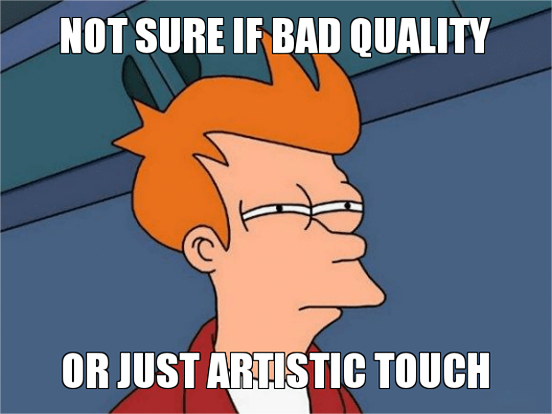
See the meme transformation


Three steps to meme glory
Upload Your Image
Upload any image format, including GIFs, whether they are from the web, your camera, or your phone.
Customize Captions and Filters
Add text anywhere on the image, adjusting font, color, and size. Add emojis or even new images. Reduce resolution for a vintage look.
Download and Save
We provide real-time before-and-after comparison. Download with no watermarks. Multiple memes? Download all at once.
Common questions answered
Classic meme templates (Drake, Distracted Boyfriend): 800-1200px width, JPEG at 85% or PNG. Multi-panel memes (Fry, Expanding Brain): Stitch images horizontally with consistent heights. For screenshot memes: PNG preserves text sharpness better than JPEG which introduces text artifacts at low quality.
Text stroke (outline) uses "best臣" rendering: compute pixel boundary from font, fill interior with fill color, draw stroke pixels around boundary. Stroke width should be 5-10% of font size—too thin provides no outline, too thick obscures characters. For small text (<20px), use drop shadow instead of stroke.
Impact (classic meme font): bold, all-caps, high contrast. Comic Sans: ironic/dumb meme aesthetic. Papyrus: mocking "fancy" attempts. For modern formats (Instagram/TikTok): Montserrat or Bebas Neue for clean sans-serif, or Lora for editorial feel. Avoid thin fonts at small sizes.
Twitter/X: 1200x675px (1.91:1) for best feed display, <2MB for autoplay. Instagram: Square 1080x1080px or 4:5 portrait 1080x1350px, <10MB. Facebook: 1200x630px, avoid text in lower 20% (mobile cuts off). TikTok: 1080x1920px vertical, text safe zone 1080x1420px center.
Mobile browsers apply viewport scaling and font substitution. Text rendered in Impact on desktop may render in Arial on Android if Impact isn't available. Solution: convert text to paths/outlines before export (our tool does this automatically) to guarantee identical rendering across devices.
Optimal pipeline: (1) Start with highest quality source, (2) add text/graphics as vector layers, (3) rasterize at 2x final resolution, (4) export as PNG, (5) if file too large, convert to JPEG at 85% (acceptable for memes) or WebP. Never save intermediate states as JPEG—each re-save compounds artifacts.
For overlay memes (reaction images, captioned screenshots): export as PNG with alpha channel. If your meme contains text and images, flattening may be necessary. Our "Transparent Background" mode renders text/stickers on invisible canvas, preserving alpha for compositing over other images in your editing software.
Learn more about the dark arts
Stop reading. Start creating chaos.